Baby Holding Mode
Baby Holding Mode
1. In the "User management" interface, add Baby User. Then fill in your baby's information.
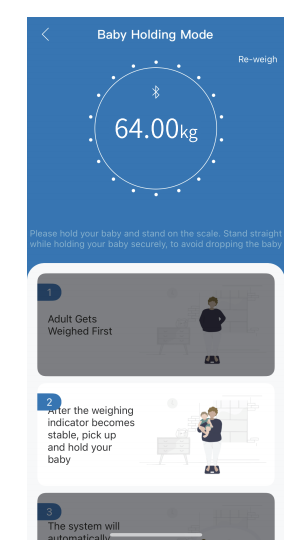
2. Go back to the weighing interface and choose "Baby weighing".


3.Three steps to get your baby's weight measurement:
- Step 1: Adult weighs first, stay still until the data is stable, then step off the scale.
- Step 2: Hold your baby, then step onto the scale again and stay still.
- Step 3: The system will automatically calculate your baby's weight.


Note: This function does not support measuring infants under 4.4lb/2kg.
ttps://renpho.com