How to add “Measurement Users” or “Friends”?
Q1: What’s the difference between “Measurement Users” and “Friends”?
A: Measurement Users are different users using one scale, such as family members or roommates.
Friends is another user using other Renpho scale, you can only have the access to view his/her data. Keep motivated with your friends!
Q2: How to add/delete a scale user under my account?
A: 1) Open the Renpho Health app and the "Body Fat Scale" homepage.
2) Tap/select "Settings" in the bottom right.
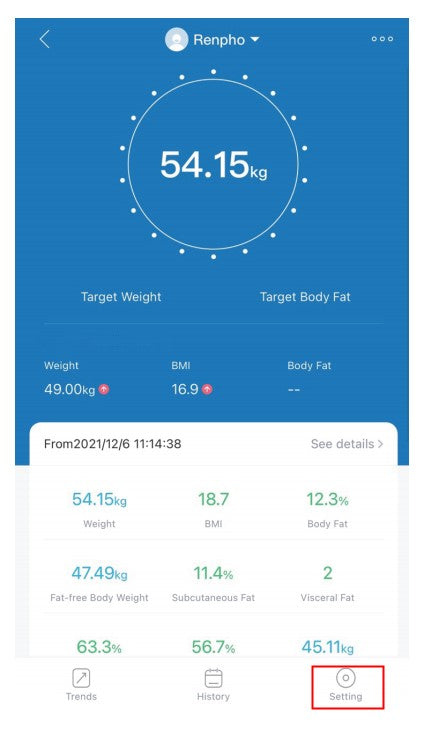
3) Tap/select "User Management" you can add user(s) - Add members.


To delete an account, swipe the account to the left and select "Delete".

Q3: How to add/delete friends under my account?
A: 1) Open the Renpho Health app and click the "Me" in the bottom right.

2) To add friends, tap/select "Friends" you can add user(s) - add friends, then enter Renpho friends' account and Confirm.


3) To delete friends, tap/select "Delete friend" on Friends page.

https://renpho.com/